
Ask ten planner fans which is better and you’ll get ten passionate answers. The truth is less dramatic: both formats work, and the right one depends on how you think, what devices you own and how much you like (or dislike) carrying things around.
Short answer: a digital planner is better if you already own a tablet and stylus, want to reuse templates, move tasks around easily, carry everything on one device and avoid buying new planners each year. A paper planner is better if you want a screen-free routine, fewer distractions, no battery or app worries, and the tactile satisfaction of writing on paper. Many people use a hybrid of both.
Side-by-side comparison
| Factor | Digital planner | Paper planner |
|---|---|---|
| Upfront cost | Low for the planner file, but needs a tablet and stylus | Pay for each planner, no device needed |
| Ongoing cost | Reuse or re-download files; undated planners can be reused indefinitely | Buy a new planner every year or when it fills up |
| Editing | Erase, move, resize and duplicate without mess | Corrections are visible; whiteout or stickers to cover |
| Space | Unlimited pages and inserts | Fixed number of pages |
| Portability | Everything on one device you may already carry | Extra item in your bag; can get bulky |
| Distraction | Notifications and apps a tap away | Distraction-free |
| Backup | Cloud sync and exports protect against loss | One copy; lose it and it’s gone |
| Battery | Needs charging | Always ready |
| Feel | Glass or matte screen protector | Real paper and pen |
| Decoration | Digital stickers, unlimited reuse | Physical stickers, washi tape, stamps |
The case for a digital planner
Flexibility
You can rewrite a messy page without starting over, copy a weekly layout for the next week, and add extra note pages anywhere. If your plans change often, this alone can win the argument.
Hyperlinks and organisation
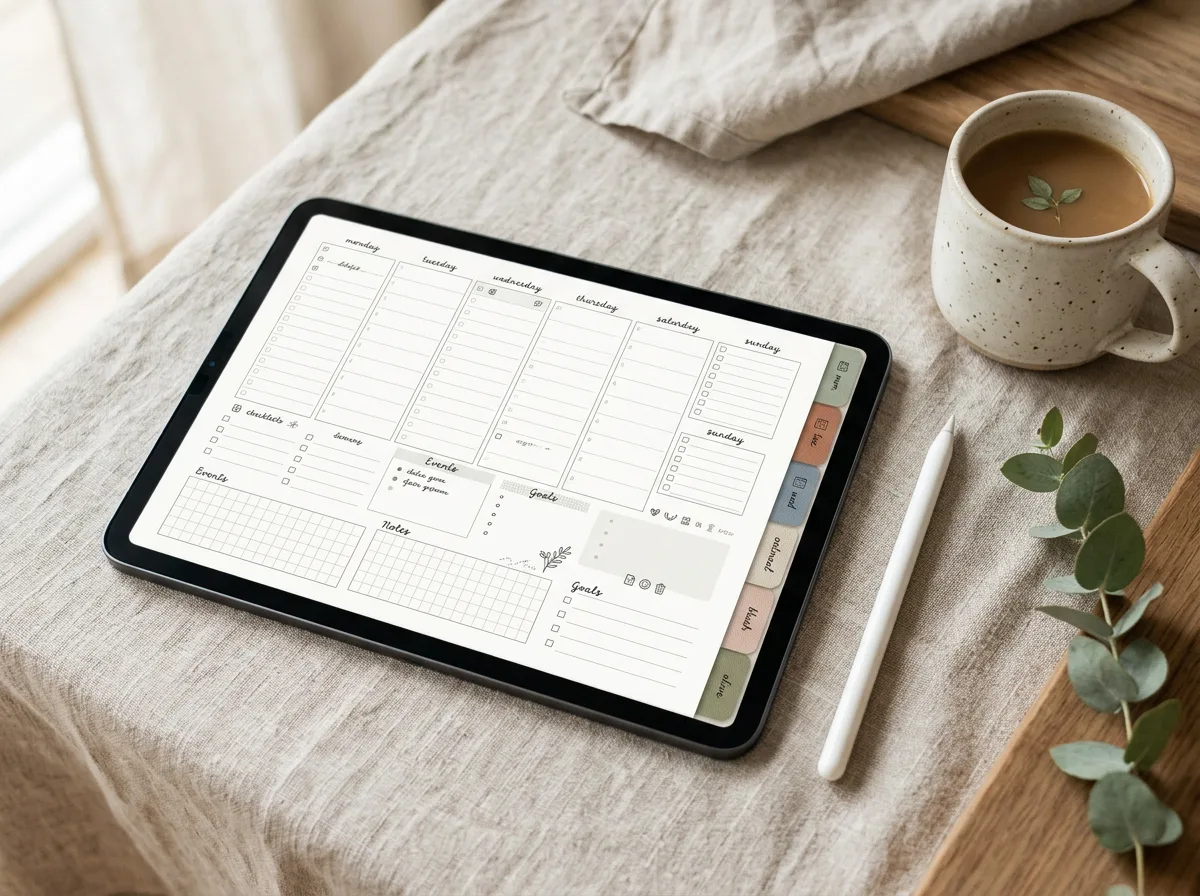
Most digital planners are PDFs with hyperlinked tabs, so you can tap from a monthly overview to a specific day in a second. Search features in many note-taking apps can even find handwritten words, which is useful when you need to locate a note from months ago.
One device instead of many notebooks
Your planner, journal, meeting notes, budget pages and reading log can all live in one app. For people who travel or commute, that’s a genuine advantage.
Reusable and lower long-term cost
Undated digital planners can be used year after year, and dated ones are often cheaper than premium paper planners. You’ll find both styles in our digital planners collection.
The case for a paper planner
Fewer distractions
A notebook can’t send you a notification. If you find that picking up your tablet to plan turns into checking messages, paper may simply keep you more focused.
Writing by hand
Many people say they remember plans better when they write them on paper. Research on handwriting versus typing generally supports some benefit for handwriting, though writing with a stylus on a tablet is still handwriting, so the difference between the two may be smaller than people expect.
No tech friction
No charging, no app updates, no syncing issues, and no worry about the device being lost or stolen with your whole planner inside.
The ritual
Stickers, washi tape, coloured pens and the feel of turning pages are part of the enjoyment for a lot of planners. That enjoyment is a real reason to choose paper; a planner you like using is a planner you’ll keep using.
Who should choose which
Choose digital if you:
- Already own a tablet with a stylus, such as an iPad with Apple Pencil, a Samsung Galaxy Tab with S Pen, or a similar device
- Change plans often and hate crossing things out
- Want to combine planning, notes and journals in one place
- Like decorating but dislike buying physical supplies
Choose paper if you:
- Want planning time to be screen-free
- Get easily distracted on devices
- Don’t want to buy a tablet just to plan
- Love the tactile experience of pen on paper
Questions to help you decide
If you’re still on the fence, answer these honestly:
- Do you already carry a tablet most days? If yes, digital adds nothing to your bag.
- When you pick up a device to do one thing, how often do you end up somewhere else?
- Do your plans change several times a week?
- Is decorating your planner part of the fun, or a distraction?
- Would you rather pay once for a device, or a little every year for paper planners?
If most of your answers lean toward flexibility and fewer things to carry, try digital first. If they lean toward focus and simplicity, start with paper. Either way, give yourself a month before judging; any new planner feels awkward in its first week.
The hybrid approach
Plenty of people use both. A few popular combinations:
- Digital for work, paper for personal: work tasks change constantly; a paper journal stays calm and private.
- Paper for daily, digital for long-term: a small paper notebook for today’s list, a digital planner for monthly and yearly goals.
- Digital planning, printed pages: a PDF planner can usually be printed at home if you prefer to write on paper for a while. Check the seller’s license; most allow printing for personal use.
If you go digital: practical tips
- Choose your app first. The two most popular on iPad are GoodNotes and Notability; our GoodNotes vs Notability comparison explains the differences.
- Add a matte screen protector if you miss the feel of paper.
- Turn on Do Not Disturb or a focus mode while you plan.
- Back up your planner regularly, either through the app’s cloud sync or by exporting a PDF.
- Start simple. Use the monthly and weekly pages for a few weeks before adding trackers and inserts.
Once you’ve chosen, the methods are the same on paper or screen. Try time blocking and a weekly review to get real value from whichever planner you pick.
FAQ
Is a digital planner cheaper than a paper planner?
The planner file itself is often cheaper and reusable, but you need a tablet and stylus. If you already own them, digital is usually cheaper over time; if not, paper is cheaper to start.
Can I use a digital planner without a stylus?
Technically yes, by typing into text boxes or using your finger, but most digital planners are designed for handwriting. A stylus makes the experience much closer to paper.
Do digital planners work on Android tablets?
Yes. PDF planners work in any app that supports annotating PDFs with hyperlinks. Popular options include Samsung Notes, Noteshelf and Xodo; check that your chosen app keeps the planner’s links clickable.
Leave a Reply