
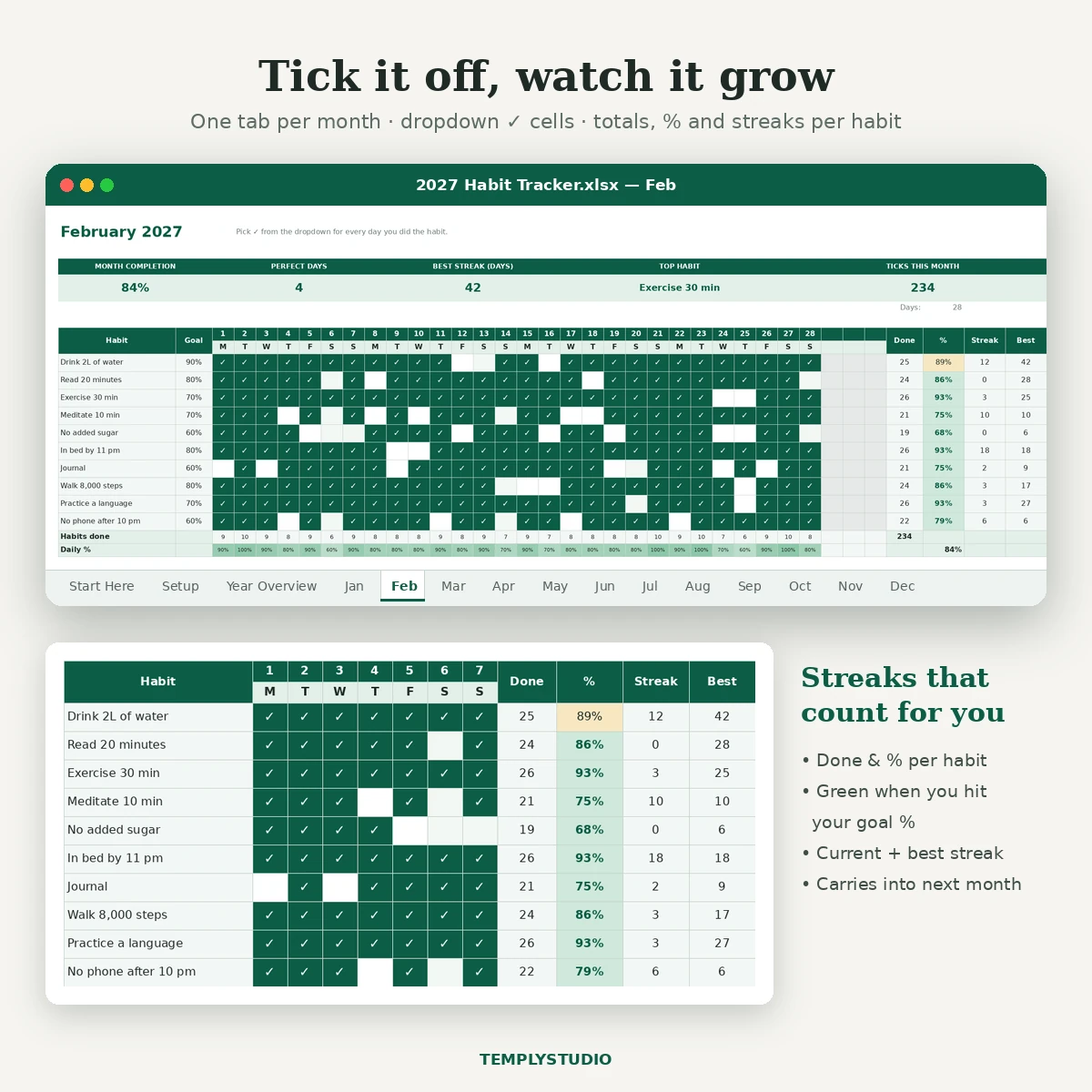
A simple, satisfying way to build better habits in 2027. Add up to 10 habits, tick each day you do them, and the spreadsheet works out your completion rate, your streaks and how the year is going, with no formulas for you to write.
What’s inside
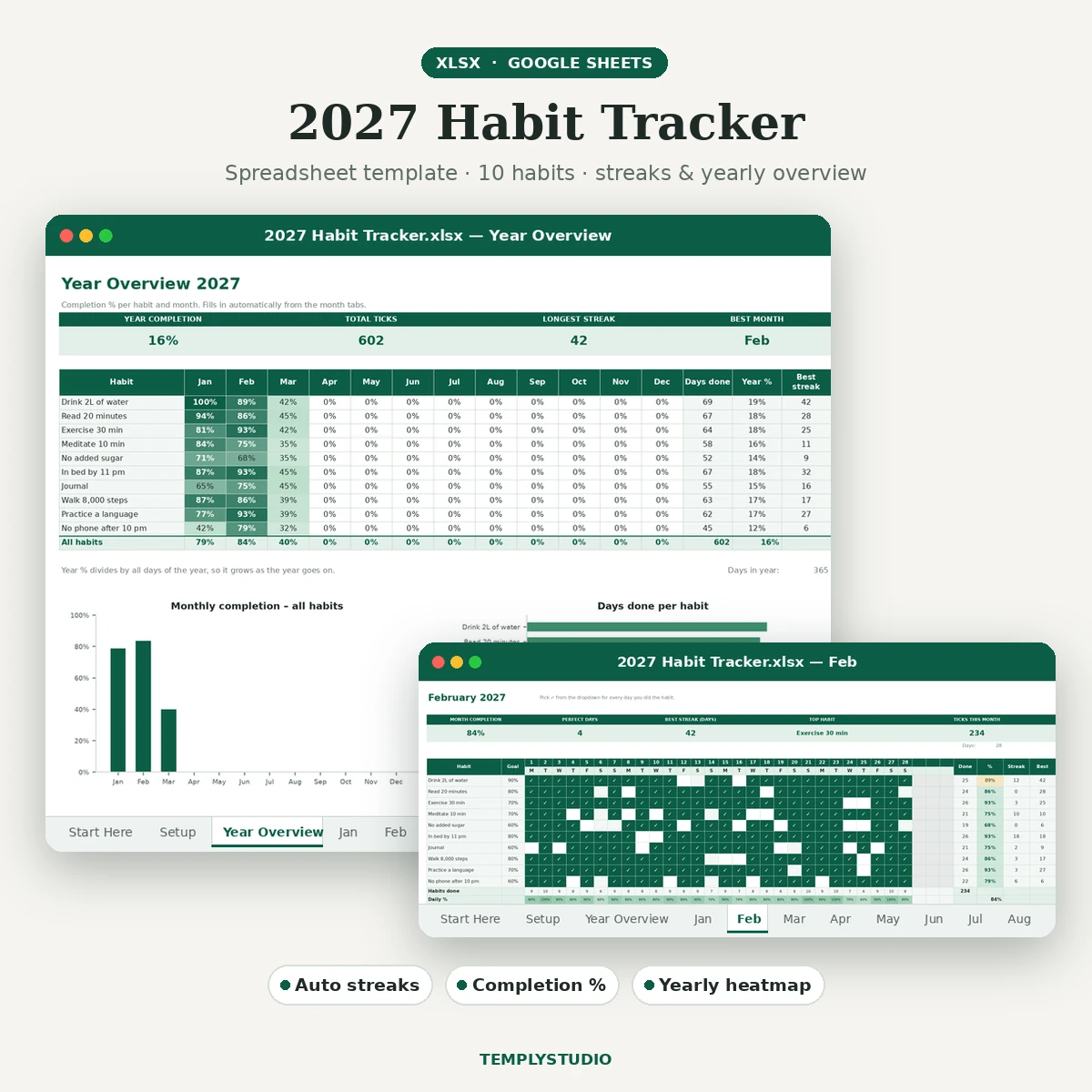
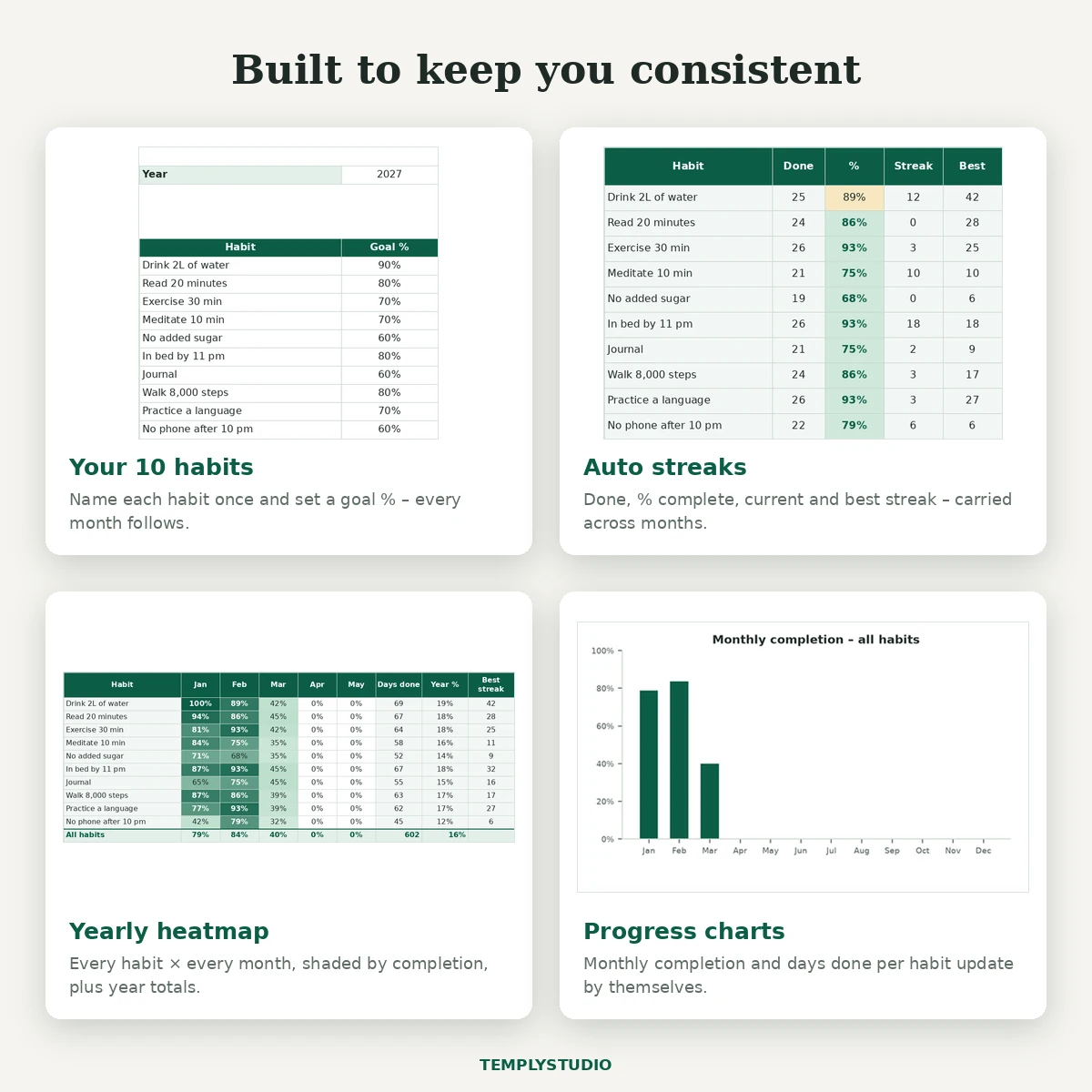
- Setup tab – name up to 10 habits and give each a goal % (for example 80% ≈ 4 days out of 5).
- 12 monthly tabs – a 31-day grid with real dates and weekday letters for 2027. Days that do not exist in a month are greyed out.
- Per-habit stats – days done, % complete, current streak and best streak, plus perfect days, daily % and your top habit for the month.
- Year Overview – a heatmap of every habit by month, total ticks, year %, longest streak, best month, a monthly completion chart and a days-done-per-habit chart.
- Start Here guide and a README with import steps.
Features
- Checkbox-style cells: choose ✓ from a dropdown and the cell turns emerald (conditional formatting).
- Completion % turns green when you hit your goal and amber when you are below it.
- Streaks carry from one month into the next, and today’s empty cell does not break your streak.
- All results come from working formulas (COUNTIF, INDEX/MATCH, DATE); nothing is hard-coded.
- Monthly notes box for reflections.
- Frozen habit names and day headers, plus print-ready landscape pages.
- Sample ticks in January to March so you can see the charts; clear them in seconds.
Works with
Microsoft Excel 2016 or newer (Windows and Mac), Excel for the web, and Google Sheets via import. In Google Sheets you can also turn the grid into real tick boxes using custom checkbox values (steps in the README). No macros, VBA or add-ins. This is a digital download: one .xlsx file plus a README in a zip. Dates are set up for 2027; change the year on Setup to reuse it.
How to start
- Download the zip and open the .xlsx in Excel, or upload it to Google Drive and save it as a Google Sheet.
- List your habits and goal % on the Setup tab.
- Clear the sample ticks and start ticking today’s habits on the current month.
- Visit Year Overview each month to see your progress.
License: personal and small-business use, one client project per purchase. Please do not resell, share or use the file for print-on-demand. See the License page.
Reviews
There are no reviews yet.