


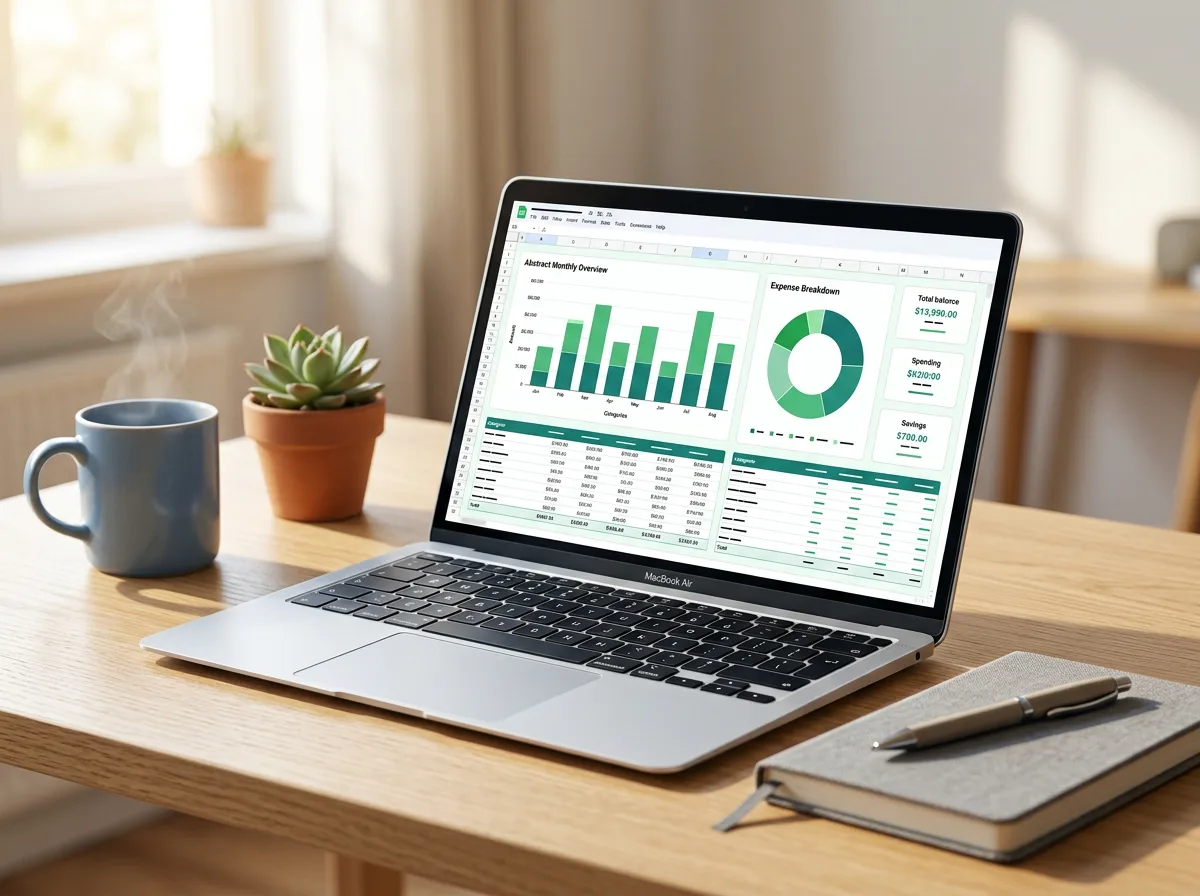
A clean, no-fuss budget spreadsheet that does the maths for you. Set your categories once, log what comes in and goes out each month, and the planner shows where your money went, what is left in each budget and how close you are to your savings goals.

What’s inside

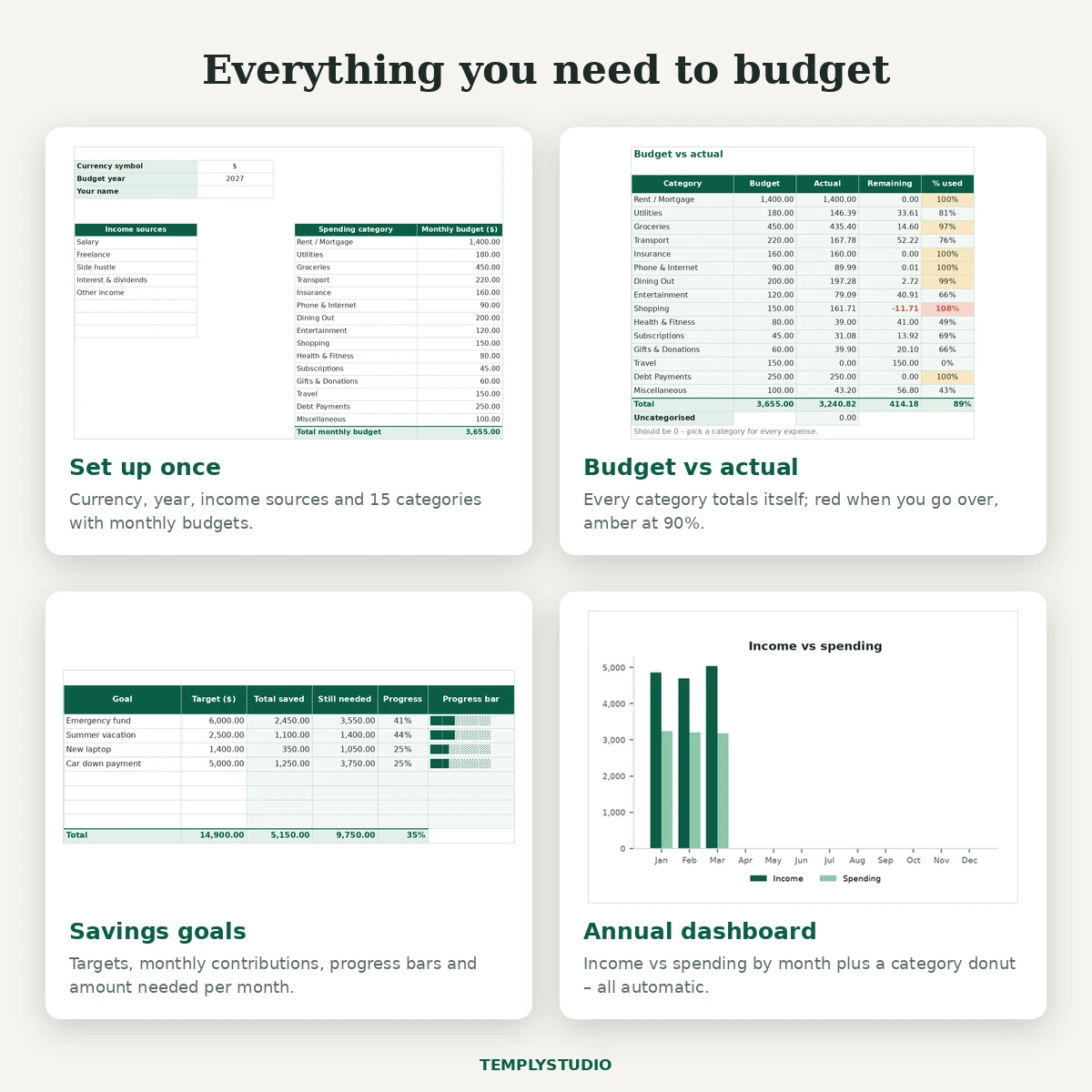
  • Setup tab – currency symbol, budget year, up to 8 income sources and up to 15 spending categories, each with its own monthly budget.
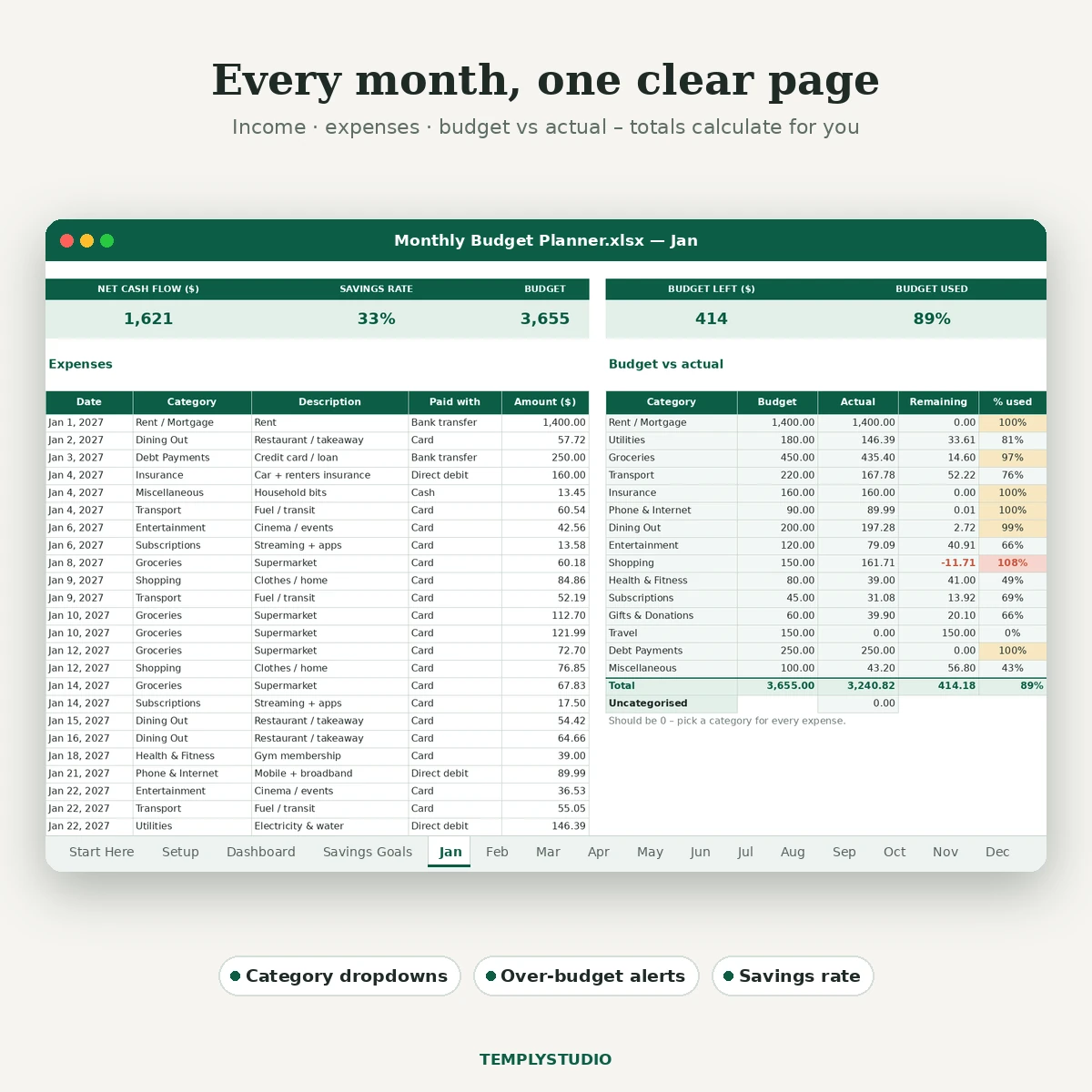
  • 12 monthly tabs (Jan–Dec) – an income table (20 rows), an expense table (80 rows) and a Budget vs actual block with remaining amount and % used per category.
  • Savings Goals – up to 8 goals with target, target date, monthly contributions, progress bar and the amount you would need to save per month to get there on time.
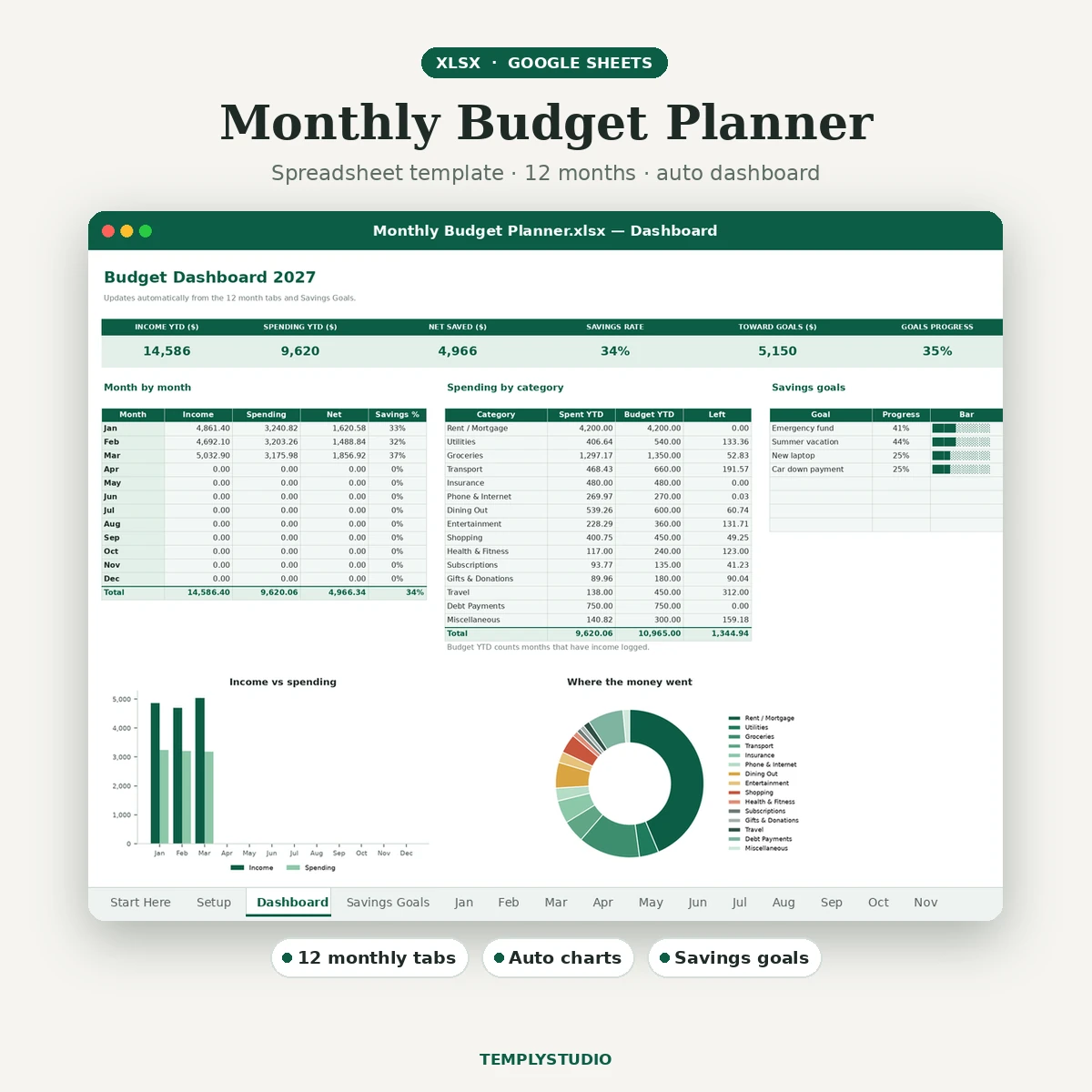
  • Annual dashboard – income, spending, net saved and savings rate, a month-by-month table, a bar chart (income vs spending) and a donut chart of spending by category.
  • Start Here guide plus a README with setup and import steps.

Features

  • Real formulas throughout (SUM, SUMIF and simple IF logic) – nothing is hard-coded.
  • Dropdown lists for income sources, categories and payment method, so entries stay consistent.
  • Conditional formatting flags categories that are over budget (red) or nearly used up (amber).
  • An “uncategorised” check on each month so no expense slips through.
  • Rename any category on Setup and every month plus the dashboard follow automatically.
  • Frozen headers and print-ready pages (landscape, fit to one page wide).
  • Sample data in January to March so you can see the charts working before you start; delete it in a few clicks.

Works with

Microsoft Excel 2016 or newer (Windows and Mac) and Excel for the web, and Google Sheets via a simple import. No macros, VBA or add-ins. It also opens in LibreOffice Calc and Apple Numbers, though charts and some formatting may look different there. This is a digital download: you receive one .xlsx file and a README in a zip, and nothing physical is shipped.

How to start

  1. Download the zip and open the .xlsx in Excel, or upload it to Google Drive and choose File › Save as Google Sheets.
  2. Fill in the Setup tab with your currency, year, income sources and category budgets.
  3. Clear the sample rows on Jan–Mar and start logging this month’s income and expenses.
  4. Check the Dashboard at the end of each month to see your savings rate and where you can adjust.

License: personal and small-business use, one client project per purchase. Please do not resell, share or use the file for print-on-demand. See the License page.
License in plain words

  • Use it for yourself and for your small business.
  • Each purchase covers one client project. Buy again for another client.
  • SVG cut files: make and sell up to 500 physical items per purchase.
  • Not allowed: print-on-demand, reselling, sharing or giving away the files, or uploading them as templates elsewhere.

Read the full License page.

Before you buy

How do I get the file?

Right after checkout you get a download button on the order page and the same links in your order email. With an account, the files stay in My account › Downloads.

How long can I download it?

Download links stay active for 1 year from purchase, with no limit on downloads. Save a copy to your computer or cloud drive too.

Which apps do I need?

The apps are listed in the description above. You only need one of them to edit the file.

Can I get a refund?

Yes, within 7 days if a file is faulty or not as described. See the Refund policy.

Need help?

Email simonjay0805@gmail.com with your order number.

A clean, no-fuss budget spreadsheet that does the maths for you. Set your categories once, log what comes in and goes out each month, and the planner shows where your money went, what is left in each budget and how close you are to your savings goals.

  • Setup tab – currency symbol, budget year, up to 8 income sources and up to 15 spending categories, each with its own monthly budget.
  • 12 monthly tabs (Jan–Dec) – an income table (20 rows), an expense table (80 rows) and a Budget vs actual block with remaining amount and % used per category.
  • Savings Goals – up to 8 goals with target, target date, monthly contributions, progress bar and the amount you would need to save per month to get there on time.
  • Annual dashboard – income, spending, net saved and savings rate, a month-by-month table, a bar chart (income vs spending) and a donut chart of spending by category.
  • Start Here guide plus a README with setup and import steps.

Features

  • Real formulas throughout (SUM, SUMIF and simple IF logic) – nothing is hard-coded.
  • Dropdown lists for income sources, categories and payment method, so entries stay consistent.
  • Conditional formatting flags categories that are over budget (red) or nearly used up (amber).
  • An “uncategorised” check on each month so no expense slips through.
  • Rename any category on Setup and every month plus the dashboard follow automatically.
  • Frozen headers and print-ready pages (landscape, fit to one page wide).
  • Sample data in January to March so you can see the charts working before you start; delete it in a few clicks.

Works with

Microsoft Excel 2016 or newer (Windows and Mac) and Excel for the web, and Google Sheets via a simple import. No macros, VBA or add-ins. It also opens in LibreOffice Calc and Apple Numbers, though charts and some formatting may look different there. This is a digital download: you receive one .xlsx file and a README in a zip, and nothing physical is shipped.

How to start

  1. Download the zip and open the .xlsx in Excel, or upload it to Google Drive and choose File › Save as Google Sheets.
  2. Fill in the Setup tab with your currency, year, income sources and category budgets.
  3. Clear the sample rows on Jan–Mar and start logging this month’s income and expenses.
  4. Check the Dashboard at the end of each month to see your savings rate and where you can adjust.

License: personal and small-business use, one client project per purchase. Please do not resell, share or use the file for print-on-demand. See the License page.

There are no reviews yet.

Be the first to review “Monthly Budget Planner Spreadsheet”

Your email address will not be published. Required fields are marked *