
Straightforward bookkeeping for freelancers, side businesses and small shops that don’t need full accounting software. Log each payment in or out, track the invoices you send, and get a monthly profit & loss statement and a dashboard that build themselves from your entries.
What’s inside
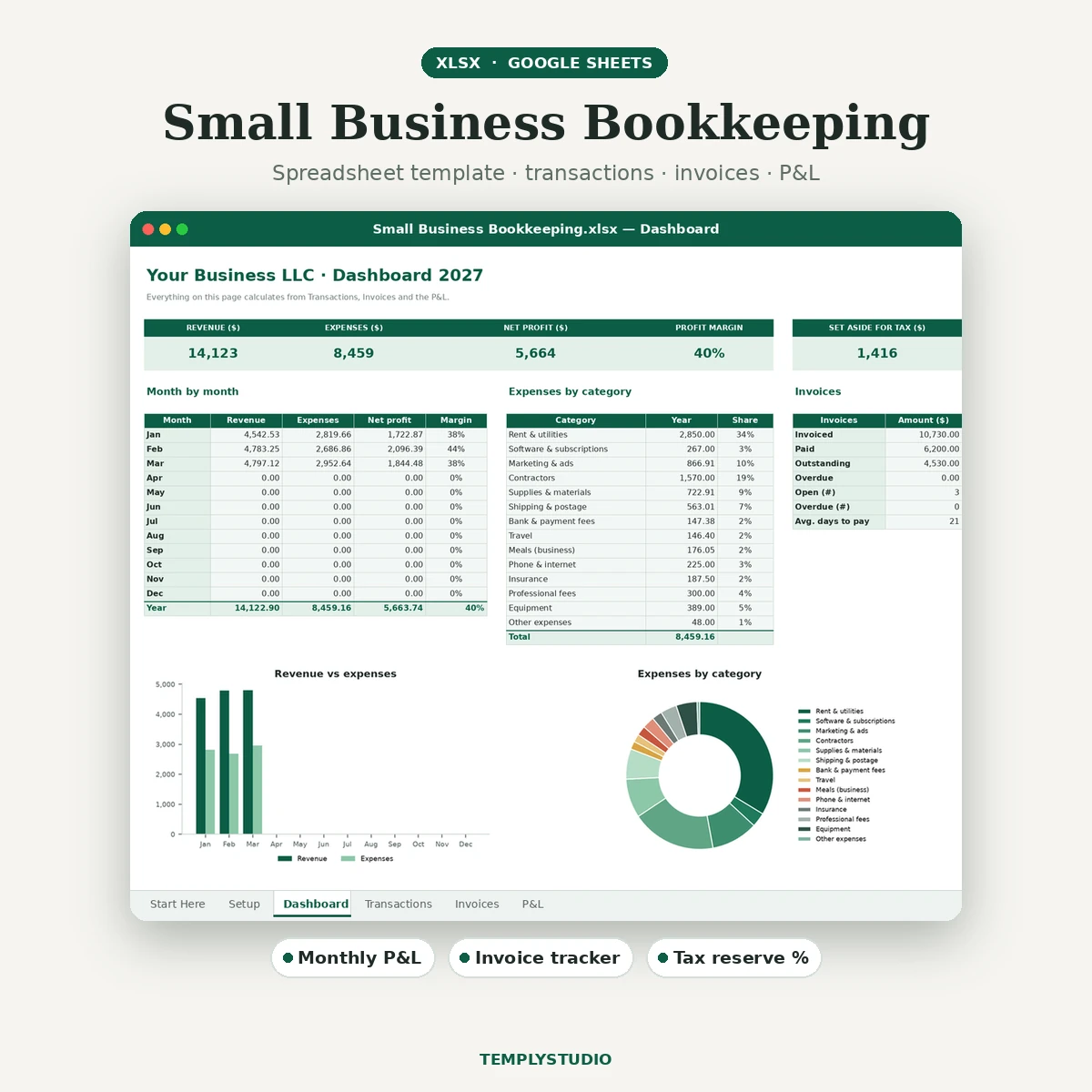
- Setup – business name, currency, year, tax-reserve %, default payment terms, plus editable lists of 6 income categories, 14 expense categories, accounts and clients.
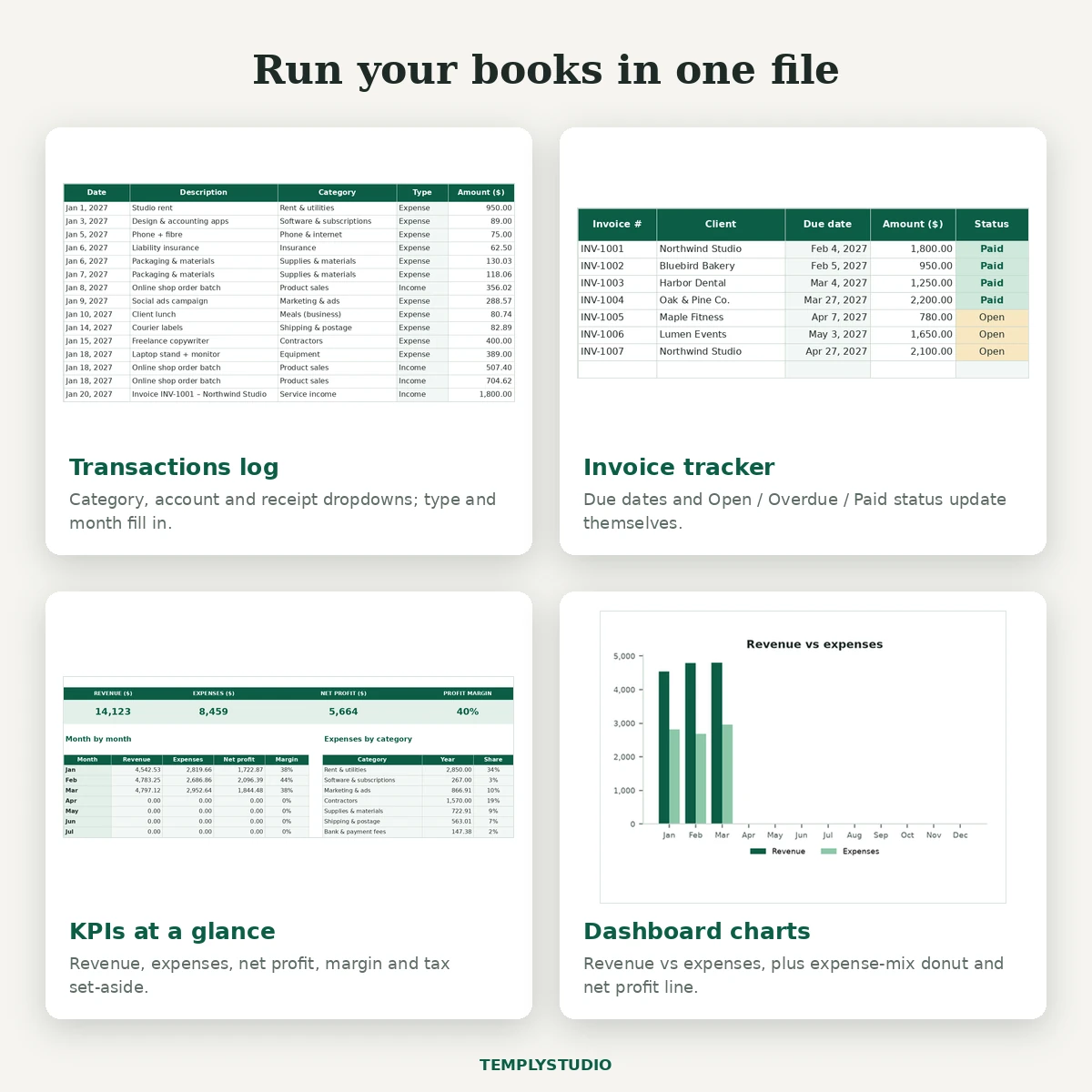
- Transactions log – 500 rows with category, account and receipt dropdowns. Type, income/expense split and month fill in automatically, with filters on every column.
- Invoice tracker – 100 rows. Due dates, Open / Overdue / Paid status, days late and days to pay calculate automatically, with a summary of invoiced, paid, outstanding and overdue amounts.
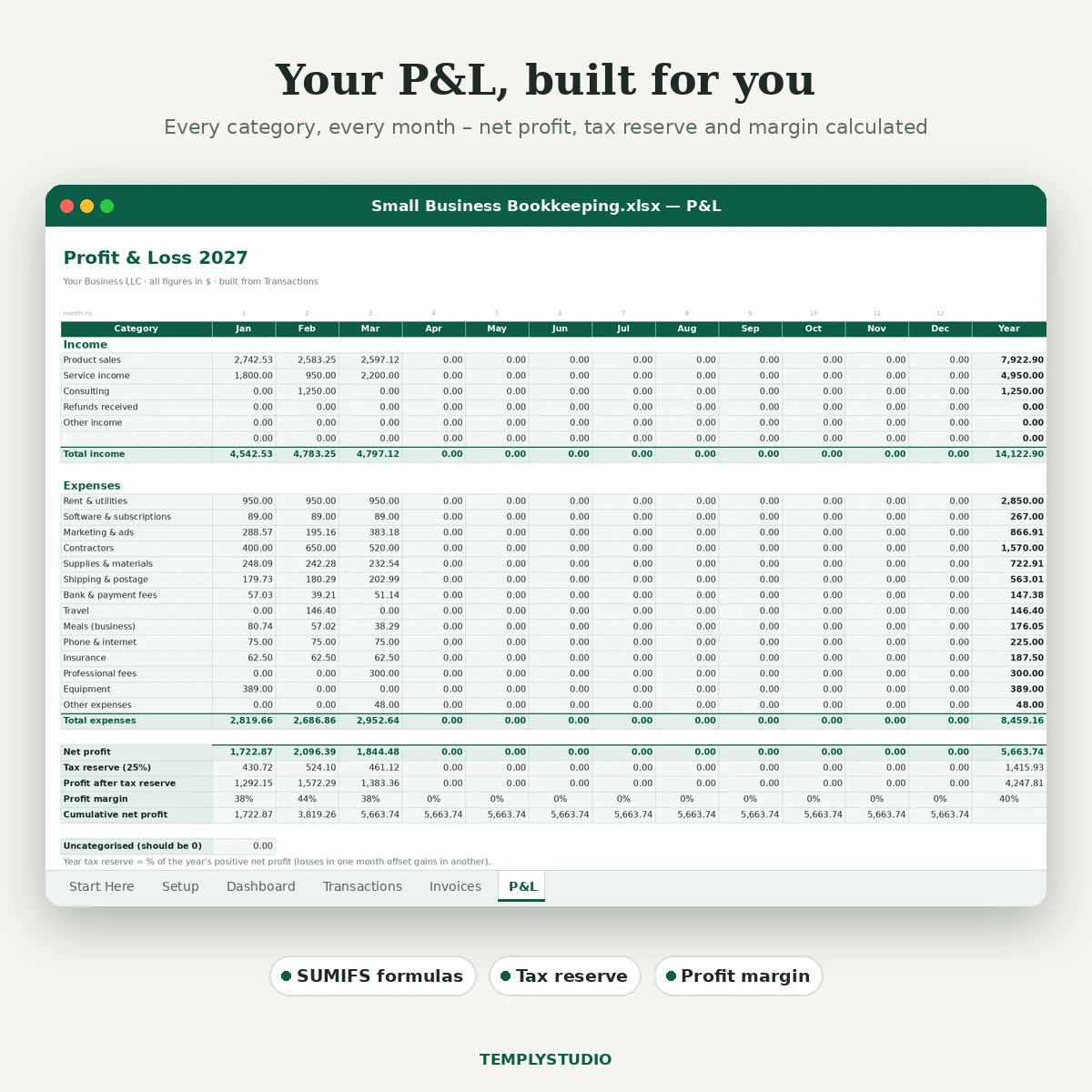
- Monthly P&L – every category for Jan–Dec plus the year: total income, total expenses, net profit, tax reserve, profit after reserve, margin and cumulative profit.
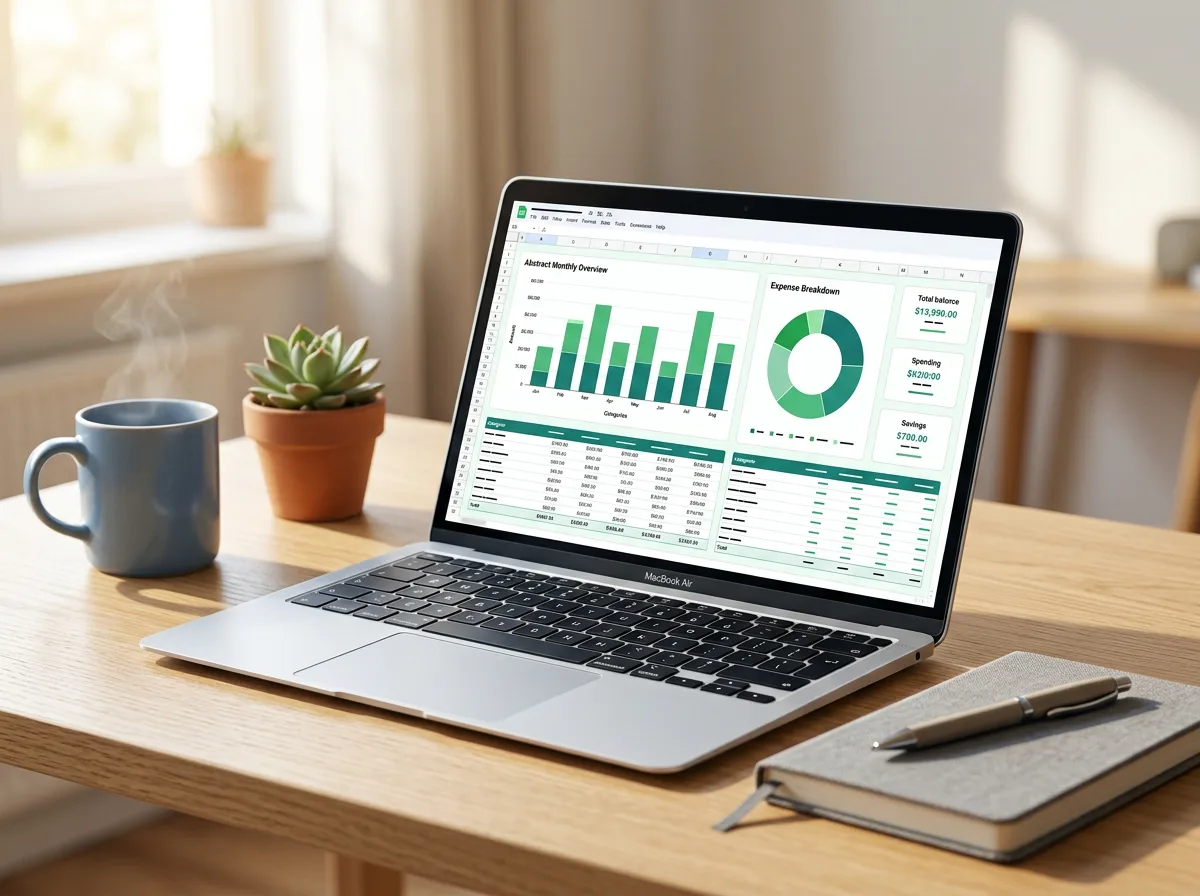
- Dashboard – revenue, expenses, net profit, margin and tax set-aside, plus three charts: revenue vs expenses, expenses by category and net profit by month.
Features
- Real working formulas (SUMIFS, VLOOKUP, SUMIF, COUNTIF) – no hard-coded numbers, macros or scripts.
- Set your tax-reserve % once and every month shows what to put aside. This is a planning estimate, not tax advice.
- Colour-coded invoice status, highlights for missing categories and missing receipts, and an “uncategorised” check on the P&L.
- Rename categories on Setup and the P&L and dashboard update.
- Frozen headers, print-ready pages with repeating header rows.
- Sample data for January to March so you can see it working first.
Works with
Microsoft Excel 2016 or newer (Windows and Mac), Excel for the web, and Google Sheets via import. No VBA, macros or add-ins. Single currency, cash-basis tracking; it is not a double-entry ledger and does not file taxes. Digital download: one .xlsx and a README in a zip.
How to start
- Download the zip and open the .xlsx in Excel, or upload it to Google Drive and save it as a Google Sheet.
- Complete the Setup tab and adjust the category lists.
- Clear the sample rows, then enter this year’s transactions and invoices.
- Review the P&L and Dashboard monthly, and share them with your accountant at tax time.
License: personal and small-business use, one client project per purchase. Please do not resell, share or use the file for print-on-demand. See the License page.
Reviews
There are no reviews yet.