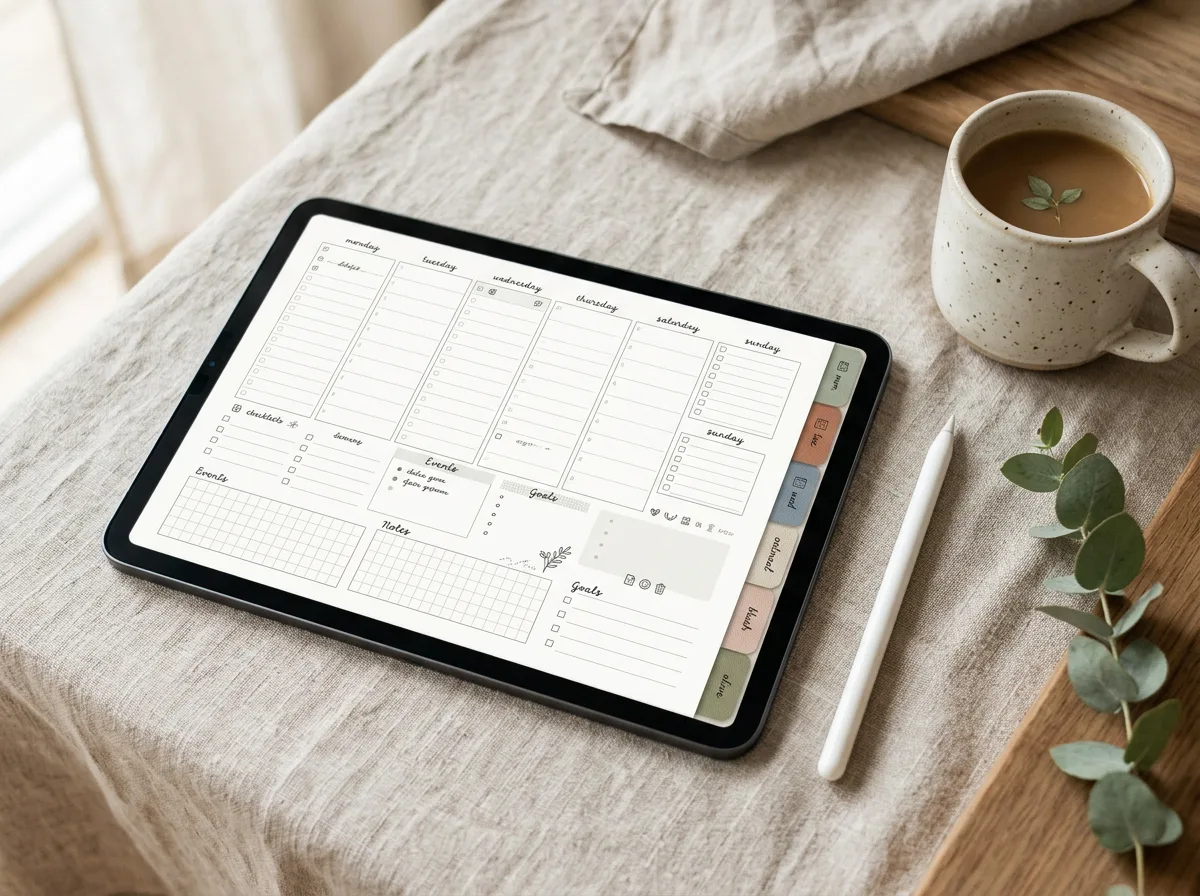

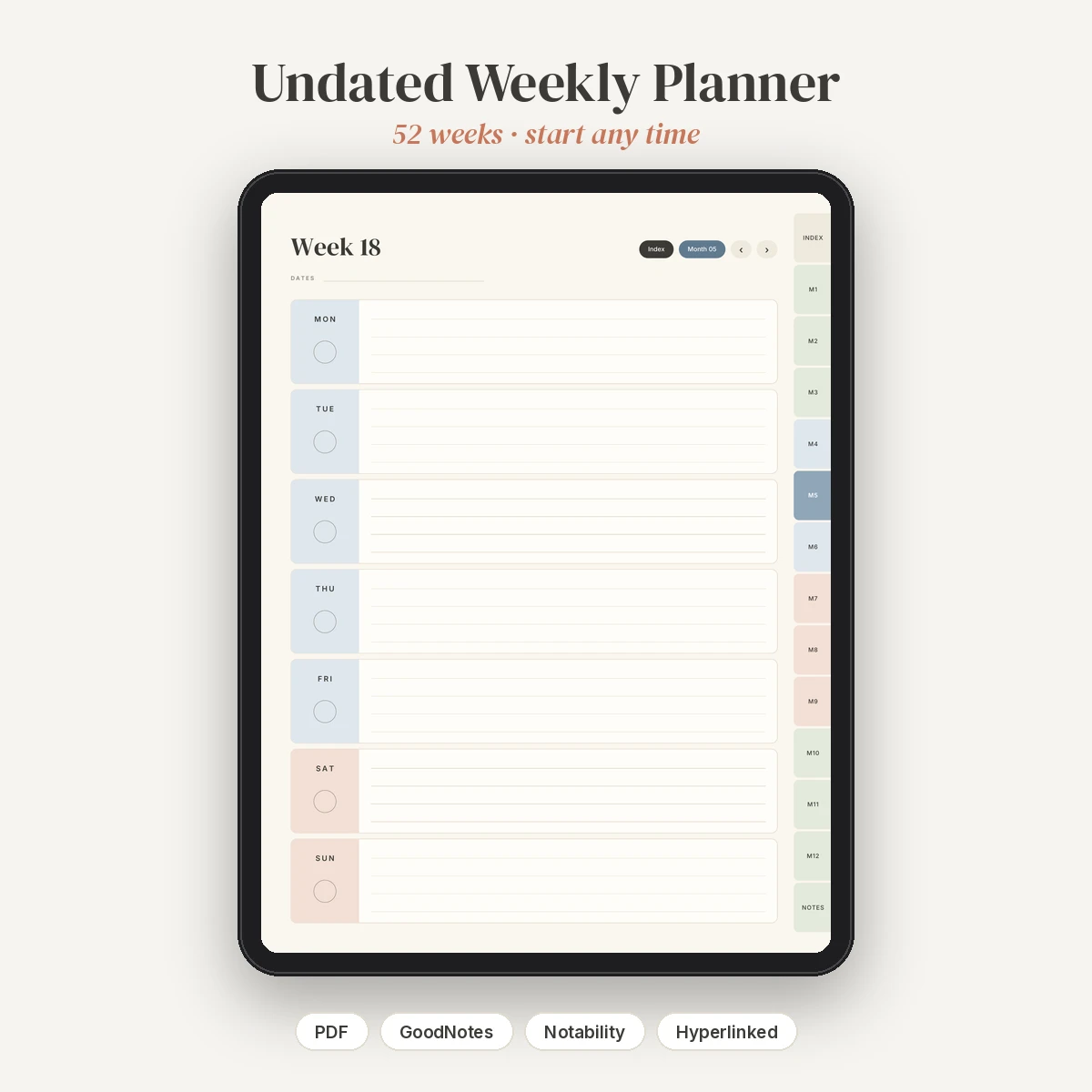
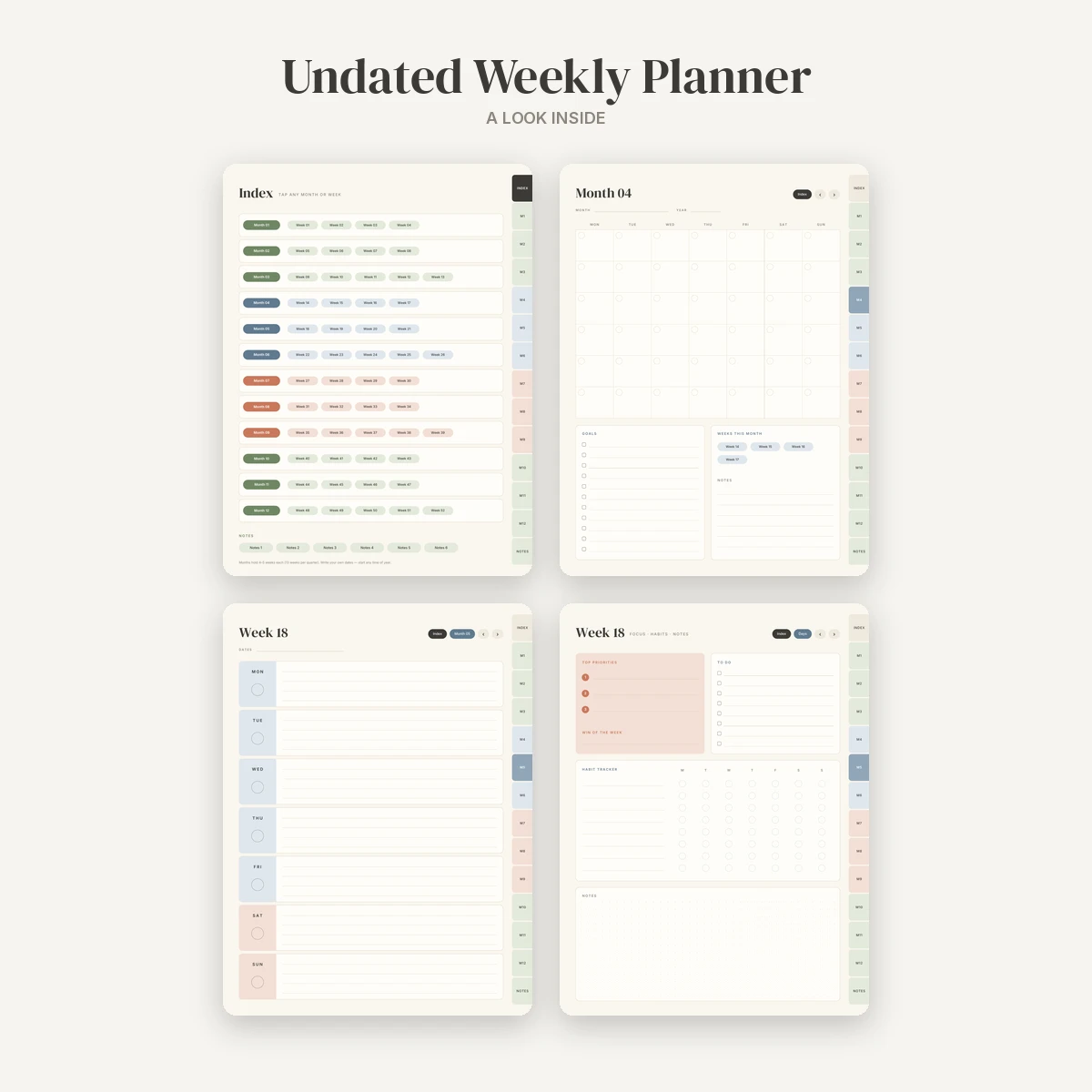
An undated, hyperlinked weekly planner for iPad that you can start any week of the year, and pick back up after a break without wasting pages. It is a portrait layout for GoodNotes, Notability and other PDF annotation apps, with soft sage, dusty blue and terracotta on a warm cream background.

What’s inside

  • Cover page linking into the planner
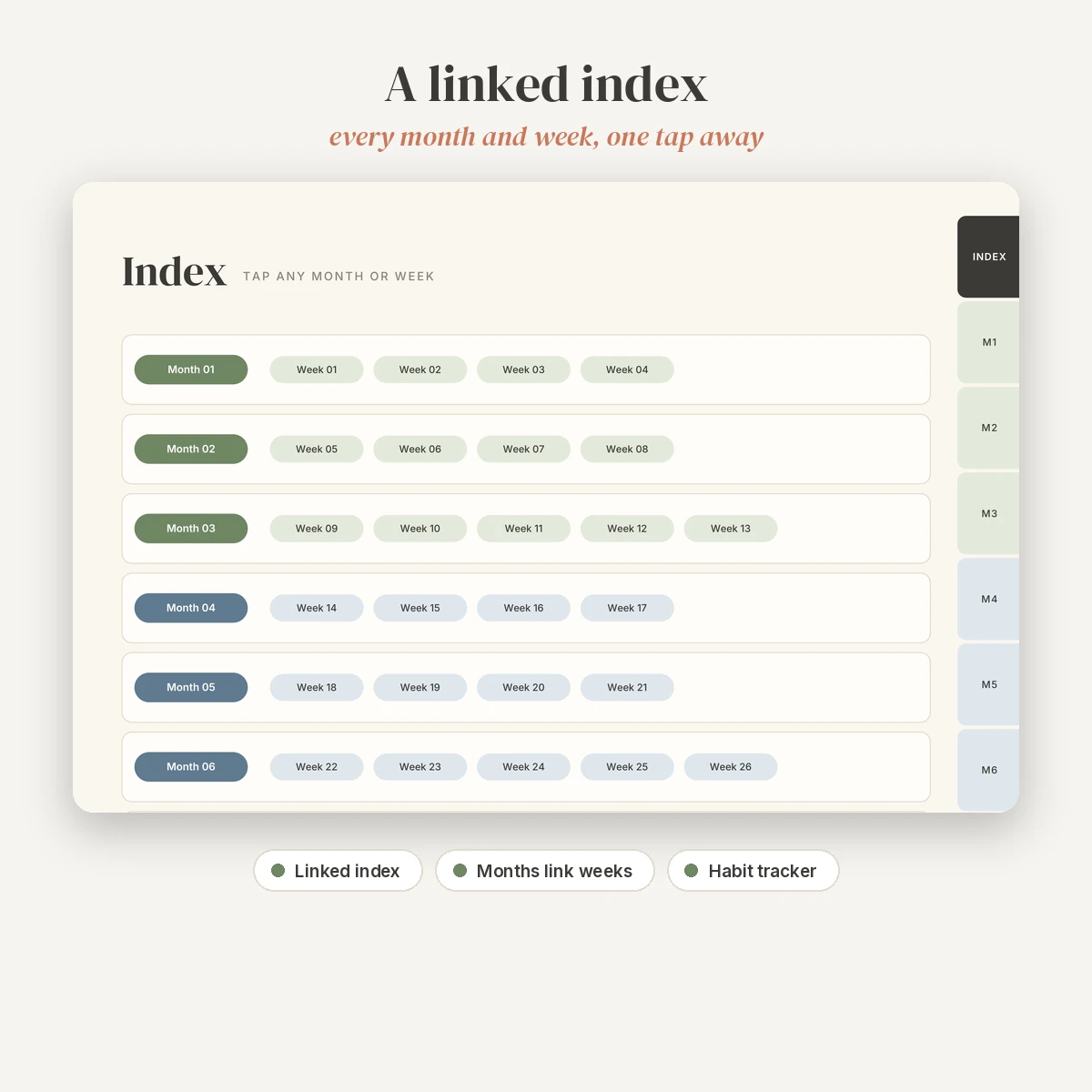
  • Linked index: every month and every week, one tap away
  • 12 undated monthly pages with a blank 6-row calendar (write in your own dates), goals, notes and quick links to that month’s weeks
  • 52 weekly spreads, each two pages:
    • Days page: Monday to Sunday blocks with lines and a circle for the date
    • Focus page: top 3 priorities, win of the week, an 8-item to-do list, an 8-habit weekly tracker and dot-grid notes
  • 6 extra notes pages (lined and dot grid)

Features

  • 124 pages with more than 2,300 internal hyperlinks, all checked
  • Side tabs on every page for the index, all 12 months and notes
  • Each week links to its month and back; previous and next buttons move between days and focus pages
  • Months are grouped 4, 4 and 5 weeks per quarter (13 weeks per quarter, 52 in total)
  • PDF bookmarks for the index, months, weeks and notes
  • Monday-start weekly layout
  • Lightweight file of about 2.5 MB

Compatible apps

Made for GoodNotes 5/6 and Notability on iPad. It also works in other PDF apps that support internal links, such as Noteshelf, PDF Expert and Xodo. Because it is undated, you can re-download and reuse it for your own personal use every year. This is a digital download: nothing physical is shipped.

How to import

  1. Download the ZIP after purchase and unzip it in the Files app.
  2. In GoodNotes, tap + then Import and choose the PDF. In Notability, tap Import and choose the PDF.
  3. To tap links in GoodNotes, switch to read-only mode first, then switch back to write. In Notability, tap links with your finger when no writing tool is selected.
  4. Write your dates on the first week and month you use, then keep going.

A README with step-by-step import instructions is included. License: personal and small-business use, one client project per purchase. Please do not resell, share or use the file for print-on-demand. See the License page.
License in plain words

  • Use it for yourself and for your small business.
  • Each purchase covers one client project. Buy again for another client.
  • SVG cut files: make and sell up to 500 physical items per purchase.
  • Not allowed: print-on-demand, reselling, sharing or giving away the files, or uploading them as templates elsewhere.

Read the full License page.

Before you buy

How do I get the file?

Right after checkout you get a download button on the order page and the same links in your order email. With an account, the files stay in My account › Downloads.

How long can I download it?

Download links stay active for 1 year from purchase, with no limit on downloads. Save a copy to your computer or cloud drive too.

Which apps do I need?

The apps are listed in the description above. You only need one of them to edit the file.

Can I get a refund?

Yes, within 7 days if a file is faulty or not as described. See the Refund policy.

Need help?

Email simonjay0805@gmail.com with your order number.

An undated, hyperlinked weekly planner for iPad that you can start any week of the year, and pick back up after a break without wasting pages. It is a portrait layout for GoodNotes, Notability and other PDF annotation apps, with soft sage, dusty blue and terracotta on a warm cream background.

  • Cover page linking into the planner
  • Linked index: every month and every week, one tap away
  • 12 undated monthly pages with a blank 6-row calendar (write in your own dates), goals, notes and quick links to that month’s weeks
  • 52 weekly spreads, each two pages:
    • Days page: Monday to Sunday blocks with lines and a circle for the date
    • Focus page: top 3 priorities, win of the week, an 8-item to-do list, an 8-habit weekly tracker and dot-grid notes
  • 6 extra notes pages (lined and dot grid)

Features

  • 124 pages with more than 2,300 internal hyperlinks, all checked
  • Side tabs on every page for the index, all 12 months and notes
  • Each week links to its month and back; previous and next buttons move between days and focus pages
  • Months are grouped 4, 4 and 5 weeks per quarter (13 weeks per quarter, 52 in total)
  • PDF bookmarks for the index, months, weeks and notes
  • Monday-start weekly layout
  • Lightweight file of about 2.5 MB

Compatible apps

Made for GoodNotes 5/6 and Notability on iPad. It also works in other PDF apps that support internal links, such as Noteshelf, PDF Expert and Xodo. Because it is undated, you can re-download and reuse it for your own personal use every year. This is a digital download: nothing physical is shipped.

How to import

  1. Download the ZIP after purchase and unzip it in the Files app.
  2. In GoodNotes, tap + then Import and choose the PDF. In Notability, tap Import and choose the PDF.
  3. To tap links in GoodNotes, switch to read-only mode first, then switch back to write. In Notability, tap links with your finger when no writing tool is selected.
  4. Write your dates on the first week and month you use, then keep going.

A README with step-by-step import instructions is included. License: personal and small-business use, one client project per purchase. Please do not resell, share or use the file for print-on-demand. See the License page.
There are no reviews yet.

Be the first to review “Undated Weekly Planner”

Your email address will not be published. Required fields are marked *