

When you’re a freelancer, an Etsy seller or running a small shop, accounting software can feel like more than you need. A well-structured spreadsheet handles the basics: what came in, what went out, what it was for, and how much profit you made each month. It also makes life much easier at tax time.
Short answer: a simple bookkeeping spreadsheet for a small business needs one transactions sheet with columns for date, description, category, income, expense, payment method and a receipt reference, plus a summary sheet that uses SUMIFS formulas to total income and expenses by category and month. Record every business transaction, keep business and personal money separate, and update the sheet weekly.
What a bookkeeping spreadsheet should do
- Record every business transaction in one place
- Group spending into categories that match how you’ll report it
- Show monthly totals and profit
- Link each entry to a receipt or invoice
- Be simple enough that you actually keep it up
This guide covers the basics. Tax rules vary by country and by business type, so check with your local tax authority or an accountant about which categories and records you need.
Step 1: Create the transactions sheet
Name the first tab “Transactions” and add these headers in row 1:
| Column | Header | Example |
|---|---|---|
| A | Date | 03/14 |
| B | Description | Design app subscription |
| C | Category | Software |
| D | Income | (blank) |
| E | Expense | 15.00 |
| F | Payment method | Business card |
| G | Receipt / invoice # | R-0042 or a link |
| H | Notes | Annual plan, monthly portion |
Use separate columns for income and expense rather than positive and negative numbers in one column. It makes formulas simpler and mistakes easier to spot.
Freeze the header row (View > Freeze > 1 row in Google Sheets, or View > Freeze Panes > Freeze Top Row in Excel) and format columns D and E as currency.
Step 2: Choose your categories
Keep the list short enough to use consistently. A typical starting set for a small online or service business:
- Income: Sales, Services, Other income
- Cost of goods: Materials, Packaging, Printing
- Selling fees: Marketplace fees, Payment processing fees
- Operations: Software and subscriptions, Website and hosting, Equipment
- Marketing: Advertising, Samples and giveaways
- Shipping: Postage, Courier
- Professional services: Accountant, Legal, Contractors
- Other: Bank fees, Training, Office supplies
Create a “Lists” tab with your categories in one column. Then add a dropdown to column C so every entry uses the exact same wording:
- Google Sheets: select column C, then Data > Data validation > Add rule > Dropdown (from a range), and choose your category list.
- Excel: select column C, then Data > Data Validation > Allow: List, and set the source to your category range.
Consistent spelling matters, because “Software” and “software ” (with a space) will be counted separately by your formulas.
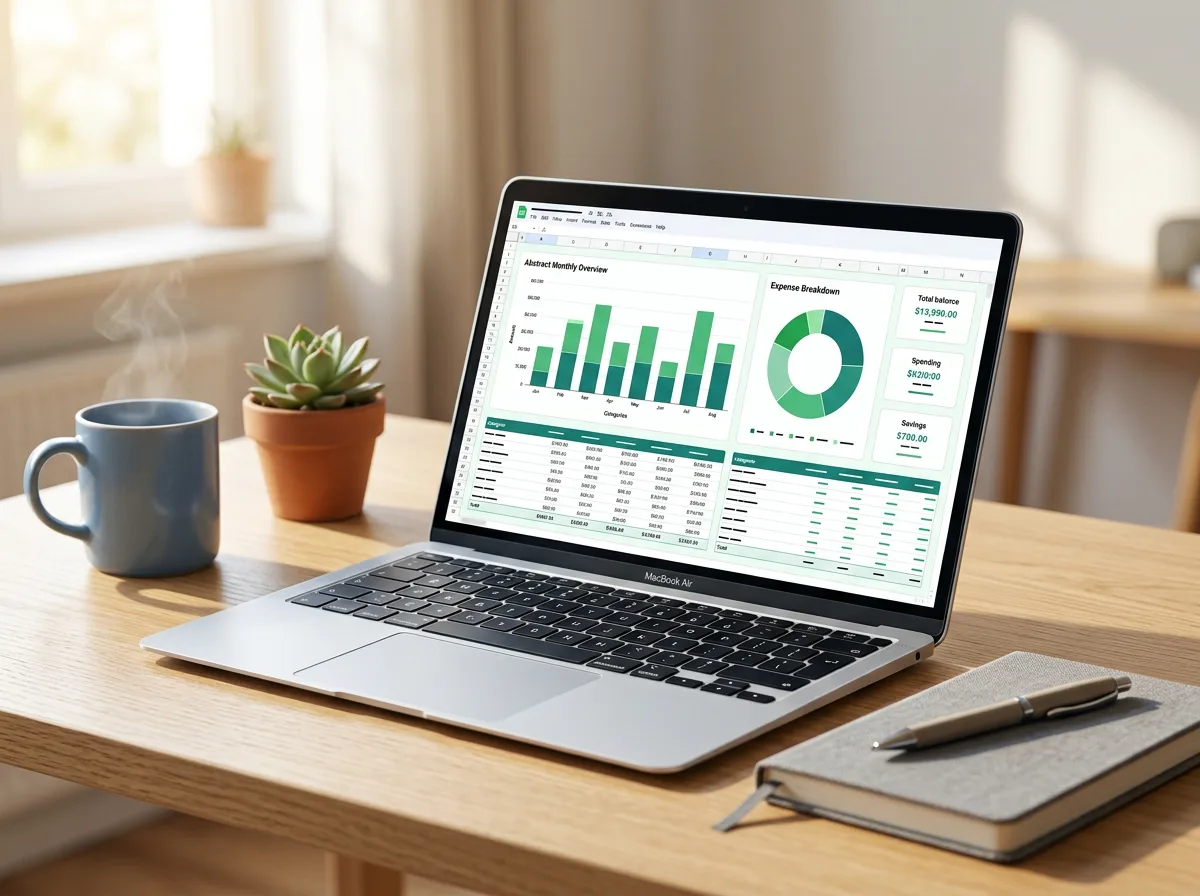
Step 3: Build the summary sheet
Create a “Summary” tab. Put category names down column A and months across row 1, starting with the first day of each month as a real date (for example 1 January in B1, 1 February in C1). Then in B2, use SUMIFS to total expenses for that category and month:
=SUMIFS(Transactions!$E:$E, Transactions!$C:$C, $A2, Transactions!$A:$A, “>=”&B$1, Transactions!$A:$A, “<“&EDATE(B$1,1))
What this does:
- Sums the Expense column
- Only where the category matches the row label
- Only where the date is on or after the first of the month
- And before the first of the next month (EDATE adds one month)
Fill the formula across and down. Use the same pattern with column D for income categories.
Step 4: Add totals and profit
At the bottom of the summary:
| Row | Formula idea |
|---|---|
| Total income | =SUM of the income category rows for that month |
| Total expenses | =SUM of the expense category rows |
| Profit | =Total income − Total expenses |
| Year to date | =SUM across the month columns |
A simple column chart of income versus expenses by month makes trends easy to see.
Step 5: Keep receipts organised
- Name digital receipts consistently, for example 2026-03-14_DesignApp_15.00.pdf, and store them in one cloud folder.
- Put the file name or a link in column G.
- Photograph paper receipts as soon as you get them.
- How long you must keep records depends on where you’re based; many tax authorities require several years, so check your local rules.
A weekly bookkeeping routine
Bookkeeping is painless in small doses and painful in one big catch-up. Try this 15-minute routine once a week:
- Download or open your business bank and card transactions for the week.
- Add each one to the Transactions sheet with a category.
- Match each entry to a receipt or invoice.
- Check the summary for anything that looks off.
- Note any unpaid invoices to chase.
Once a month, reconcile: check that your spreadsheet’s totals match your bank statement balance.
Tips that save headaches
- Separate accounts. A dedicated business bank account or card makes bookkeeping far simpler.
- Record fees separately. If a marketplace pays you 90 after taking a 10 fee, record 100 of sales income and 10 of fees, so your sales figures are accurate. Check the payout report from your platform for the breakdown.
- Don’t mix personal spending. If you do pay for something personally, note it clearly so you can reimburse yourself.
- Back it up. Google Sheets saves automatically; for Excel, store the file in cloud storage.
- Know when to upgrade. If you need invoicing, payroll, inventory or sales tax handling, accounting software or an accountant is worth it.
If you’d rather not build it from scratch, browse our Excel and Google Sheets templates for ready-made layouts. For household money, a zero-based budget spreadsheet uses a similar structure. If you sell digital products, our guide on how to start selling digital products covers pricing and delivery.
FAQ
Is a spreadsheet good enough for small business bookkeeping?
For many sole traders, freelancers and small shops with straightforward finances, yes. As transactions grow, or if you need invoicing, payroll or sales tax features, accounting software becomes more practical.
What’s the difference between bookkeeping and accounting?
Bookkeeping is recording and organising transactions. Accounting uses that information to prepare reports, tax returns and financial advice.
Should I use cash or accrual bookkeeping?
Many very small businesses record income and expenses when money actually moves (cash basis) because it’s simpler. Rules on which method you can use vary by country and business size, so confirm with a local accountant or tax authority.
Leave a Reply